

Published: 24.03.2026
See moreKosmen KM-12W Dehumidifier User Guide
 Kosmen Đà Nẵng
 Published:
10/02/2026, 08:00
- Updated at 23/06/2026, 09:19
Published:
10/02/2026, 08:00
- Updated at 23/06/2026, 09:19Detailed instructions on how to use the Kosmen KM-12W dehumidifier!
Instructions for Using the Kosmen KM-12W Dehumidifier
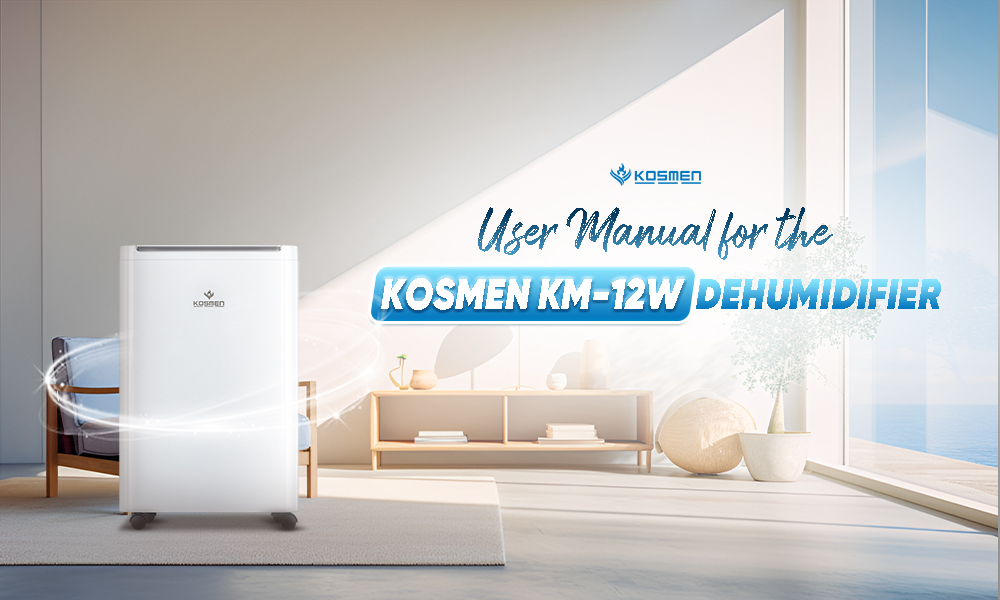
User Manual for the Kosmen KM-12W Dehumidifier
Product Functions
The main functions of the Kosmen KM-12W dehumidifier include:
Dehumidification
Reduces humidity to an ideal level, helping keep the space dry and comfortable while protecting your health and preventing mold growth and damage to belongings.
Air Purification with Negative Ions
Releases negative ions to neutralize airborne microorganisms such as bacteria, mold spores, pollen, and other positively charged allergens. This helps create a cleaner air environment and reduces the risk of respiratory issues and skin irritation.
Drying Clothes
Dries clothes using dehumidified airflow while balancing the ambient humidity to prevent moisture from returning to the fabric. Clothes are dried effectively without becoming overly dry or causing fabric discoloration.
Child Lock
Disables the control panel buttons, making it safe and suitable for families with young children.
The machine is also integrated with many convenient features such as: automatic timer setting, saving previous settings, and customizable humidity levels to maintain a comfortable atmosphere under different weather conditions.
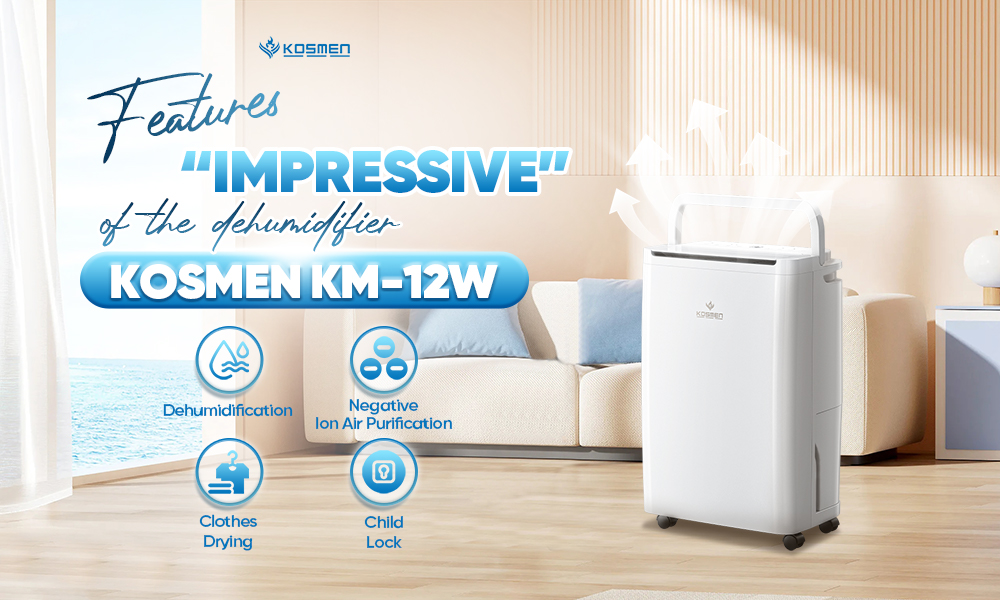
Impressive features of the Kosmen KM-12W dehumidifier
Operating Instructions
When first powered on, the machine is in standby mode. Press the power button to turn it on. The default mode is continuous dehumidification at low speed, and the indicator light will turn on.
If the machine is turned back on after being switched off, the previous humidity settings will be retained.
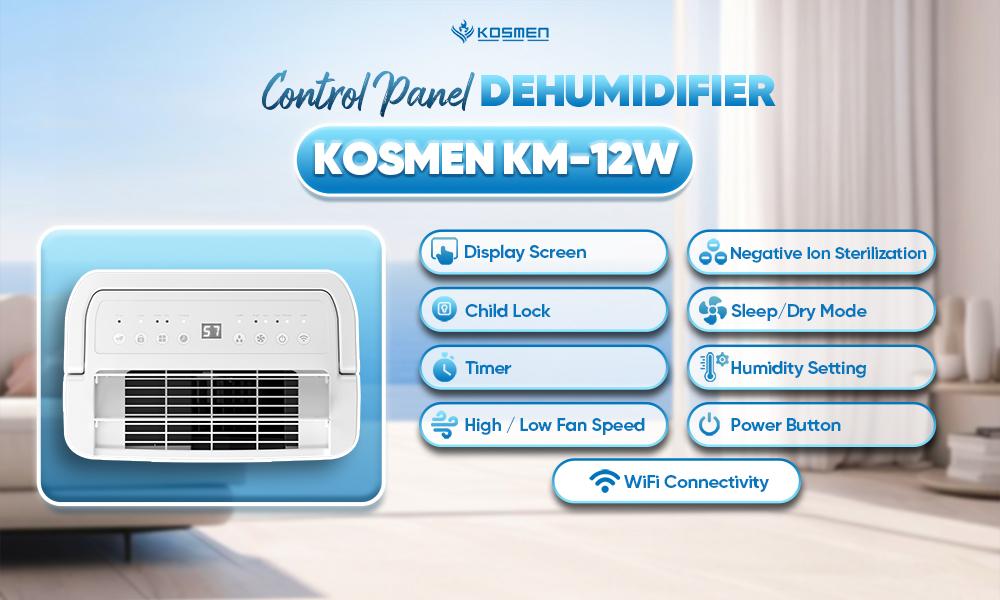
The control panel of the Kosmen KM-12W dehumidifier is clear and easy to use.
On/Off Button
Press “On/Off” to start the machine and the Power indicator light will turn on. Press it again to turn off the machine.
Humidity Setting
Press the “Humidity” button to adjust the desired humidity level. Available modes include “CO” (Continuous Dehumidification) and humidity levels from 40% to 70%. Each press increases or decreases the setting by 10%.
Anion
Press the “Anion” button to activate the sterilization and air purification function using negative ions.
Wind Speed Setting
Press the “Fan” button to set the airflow speed to “High” or “Low”.
Lock
This button is used to lock the machine. When activated, other buttons will not function. Press and hold to exit the lock mode.
Sleep/Dry
Press this button to switch between Sleep mode and Dry (clothes drying) mode.
Timer
Press the “Timer” button to set the operating time. The timer indicator light will turn on. You can adjust the time from 1–24 hours. Press the “Timer” button until the screen displays “00” to cancel the timer. After eight flashes, the display will show the current humidity, and the timer function will be activated or deactivated accordingly.
WiFi
Press and hold the “WiFi” button for 5 seconds. When the WiFi indicator light flashes continuously, the device is ready to connect to the mobile app.
1. Download the “Smart Life” or “Tuya Smart” app to your phone.
2. Scan the QR code on the device using the “Smart Life” or “Tuya Smart” app and follow the instructions to connect to WiFi.
3. Notes:
- During connection, make sure the dehumidifier, your phone, and the WiFi router are placed close to each other.
- Ensure the network is stable and connect only to a 2.4 GHz WiFi network.
- Follow the in-app instructions to prepare the device for pairing.
- Make sure the WiFi password is entered correctly.
4. Continue following the app instructions until the device is successfully connected.
Operation
When the compressor has completed its 3-minute protection period and the indoor humidity is ≥ the set humidity + 5% RH, the compressor will restart.
When the indoor humidity is < the set humidity − 5% RH, the compressor will stop.
If the indoor humidity is within the range of (set humidity − 5% RH) < indoor humidity < (set humidity + 5% RH), the compressor will continue operating to maintain stable humidity levels.
The device will stop the fan if there is no operation for three minutes after the humidity decreases.
When the machine beeps three times and the water full indicator light turns on, the unit will stop operating. Please empty the water tank and reinstall it properly. If the water full indicator remains on, check whether the water tank is correctly positioned. The machine will resume operation once the water full indicator light turns off.
Defrost Mode
When the pipe temperature is ≤ -1°C (for 3 seconds), the compressor will stop, the fan will continue running, and the defrost process will begin.
When the temperature sensor detects that the coil temperature reaches or exceeds 5°C for 3 minutes, the defrost process will end.
Water Indicator Light
Water Level Float
Do not remove the float from the water tank. If the float is removed, the machine will not turn on or start operating.
Reinstalling the Water Tank
When placing the tank back into the compartment, use both hands to push it firmly into the correct position. If the tank is not properly installed, the machine will not start, or water may overflow during operation.
Cleaning the Water Tank
If the water tank becomes dirty, clean it with cold water or a damp cloth. Do not use detergents, chemically treated dust cloths, gasoline, benzene, thinner, or other solvents, as these may damage the tank.
Continuous Drainage
The unit is equipped with a drainage outlet that can be connected to a plastic hose (11 mm inner diameter) for continuous drainage.
When using the hose, do not immerse the end of the drain hose in water to avoid excessive hose length or pressure buildup if the drainage path becomes blocked. This may cause improper water flow and result in leakage.
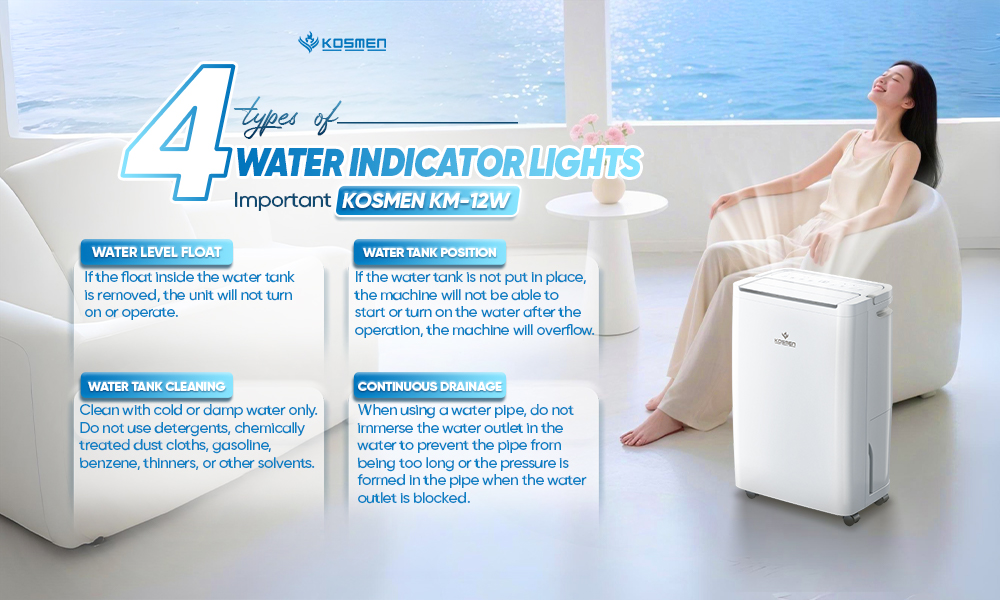
The Kosmen KM-12W provides peace of mind with four water indicator lights.
Notes for Use
Place the unit in an upright position on a flat and stable surface.
Ensure a minimum distance of 30 cm between the unit and any heat-generating or flammable materials.
Do not block the air inlet or outlet of the device.
For household use only. Do not use in wardrobes, boats, vehicles, or similar enclosed spaces.
After transportation or if the unit has been tilted or laid horizontally (for example, during cleaning or moving), let it stand upright for at least one hour before connecting it to the power supply.
The power supply must match the specifications indicated on the device label.
Avoid dropping the unit during use or transportation.
Check the power cord before use to ensure it is not damaged, punctured, or worn. Check the plug to make sure the prongs are secure and the plastic casing is not cracked.
Do not unplug the device to turn it on or off. Always use the control panel to operate the unit.
Before moving the unit, turn it off, unplug it, and empty the water tank.
Do not spray insecticides or other flammable cleaning agents onto the surface of the device.
Do not pour or spray water directly onto the unit.
Children aged 8 years and above, as well as individuals with reduced physical, sensory, or mental capabilities or lack of experience and knowledge, may use the device only if they are supervised or properly instructed. Children must not play with the device.
Only licensed and qualified technicians are allowed to disassemble or repair the device.
It is recommended to send the device to the supplier for periodic maintenance.
Product Error Code Table
Error Code | Issue | Solution |
E1 | Temperature sensor malfunction | Replace with a new temperature sensor. |
E2 | Humidity sensor malfunction | Replace with a new humidity sensor. |
HI | Current ambient humidity is high (>95%) | Close all doors and windows, then continue using the unit. |
LO | Current ambient humidity is low (<30%) | The current environment does not require dehumidification.. |
HL | Current temperature is too high or too low | Please operate the dehumidifier within the temperature range of 5–38°C. |
Share the article


Related news