User Guide for the Kosmen ECO-35E Air Purifier and Dehumidifier
Product Functions
The main functions of the Kosmen ECO-35E include:
Dehumidification
Removes excess moisture and maintains a safe humidity level, keeping the space dry and helping prevent mold and dampness.
Air Purification
Equipped with a 3-layer filtration system including: Pre-filter, HEPA H13 filter, and Activated Carbon filter, helping remove dust and impurities to provide cleaner, drier, and healthier air.
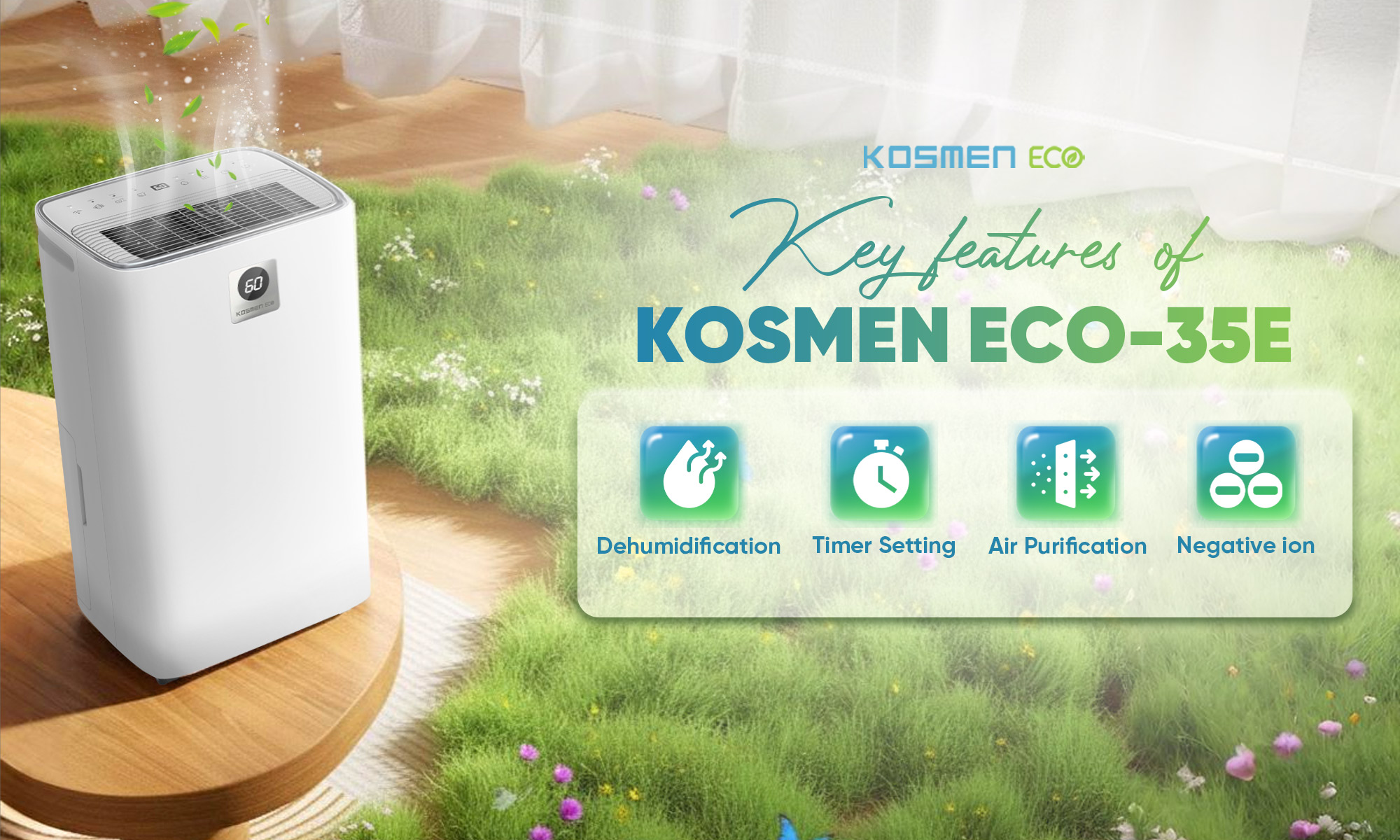
Kosmen ECO-35E with many outstanding features
Negative Ion Air Purification
Advanced negative ion technology helps eliminate odors and effectively reduce bacteria.
Wifi
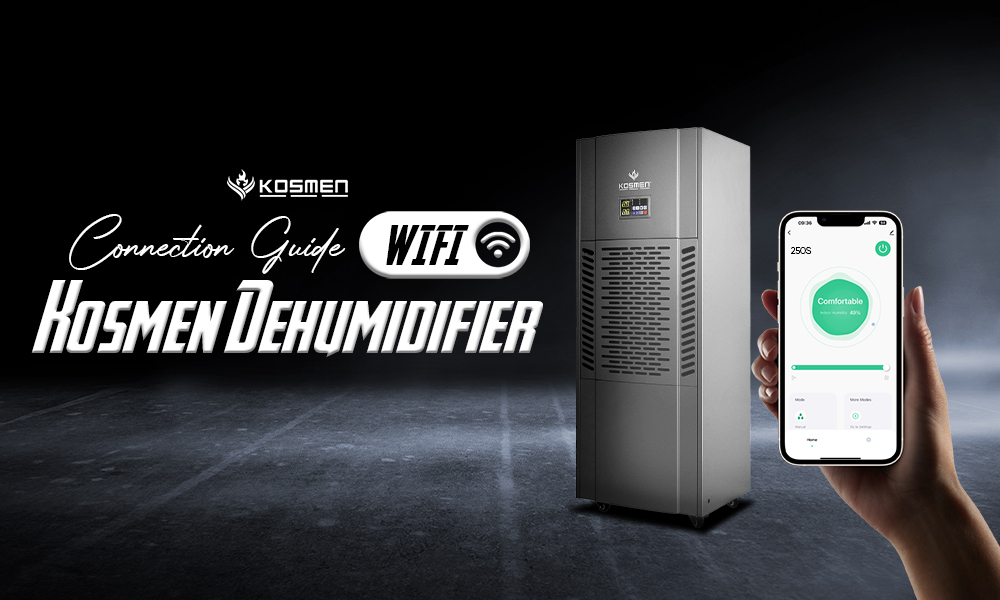
Users can connect the device to Wi-Fi to easily customize functions through the app. Once connected, users can adjust settings, monitor environmental humidity, set timers, or schedule the device’s operation according to their needs.
Dry Mode
Clothes are dried using dehumidified airflow while maintaining balanced humidity in the environment, preventing moisture from returning to the fabric. This helps dry clothes without causing stiffness or fading.
Timer
Easily set the timer to turn the device on or off from 1 to 24 hours.
User Instructions
When first powered on, the device is in standby mode. Press the power button to start the machine; the default mode is continuous dehumidification at low speed, indicated by the indicator light. If the machine is turned on again after being switched off, the previous humidity settings will be retained.
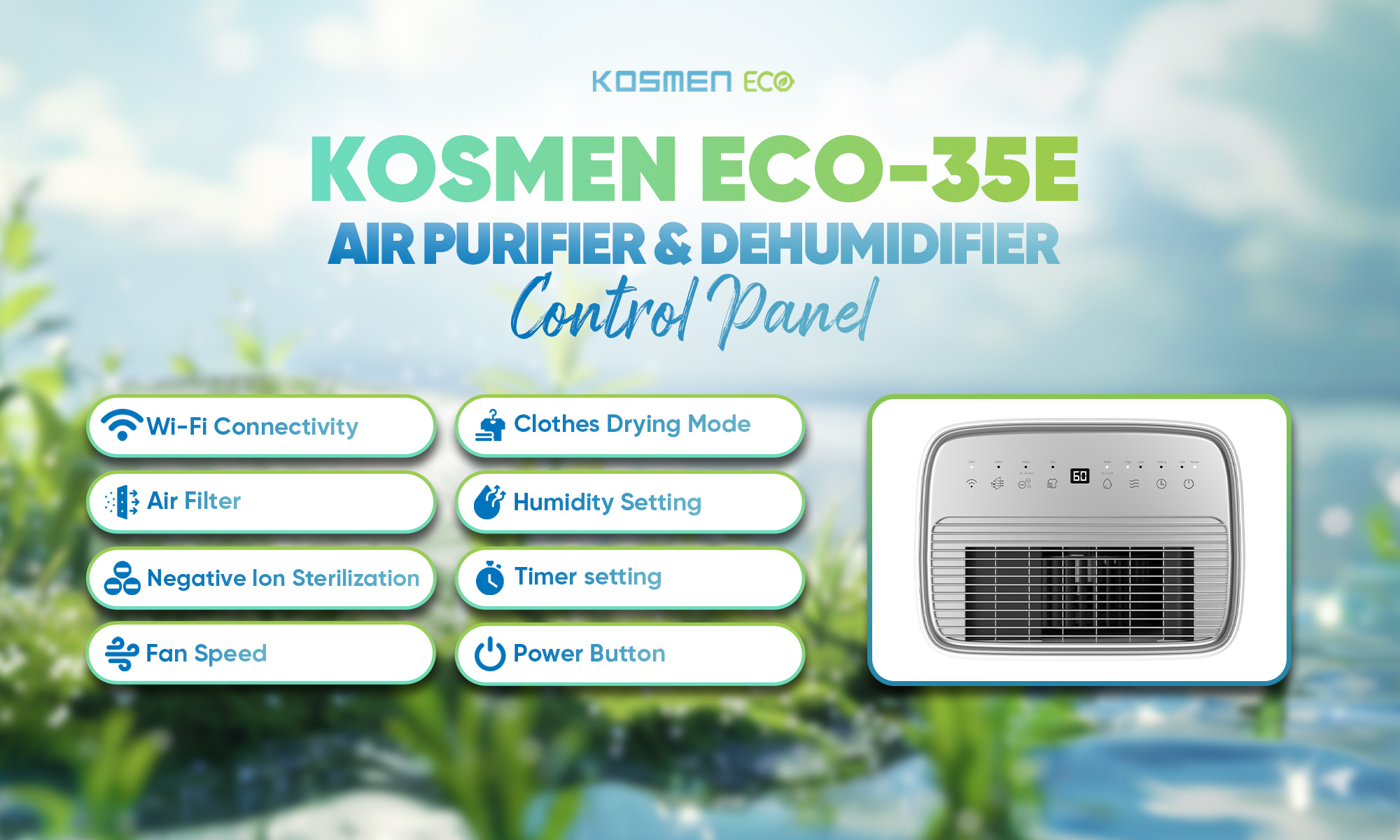
Control Panel of the Kosmen ECO-35E Air Purifier and Dehumidifier
Power (On/Off)
Press the “Power” button to turn the device on or off.
Hepa
Press the “HEPA” button to turn the HEPA function on/off. The dehumidification process will stop while the fan continues running so that air purification can operate continuously.
Anion
Press the “Anion” button to turn the negative ion sterilization function on/off.
Sleep
Press and hold the “Anion” button for 5 seconds to turn Sleep mode on/off. (In Sleep mode, all lights turn off and the humidity level will not be displayed.)
Dry
Press the “Dry” button to turn the clothes drying mode on/off. (Operates at high fan speed with continuous dehumidification.)
Note: In Dry mode, the fan speed is locked. Press the “Dry” button again or press “HUM” to set the desired humidity level.
Humidity Setting
Press the “HUMIDITY” button to set the desired humidity level. You can select “CO” (continuous dehumidification) or a humidity level from 40% to 70%. Each press changes the humidity by 10%.
Lock
Press and hold the “HUM” button for 5 seconds to activate the lock mode. The screen will display “LC” and all buttons will be locked. Hold the button for another 5 seconds to unlock, and the humidity level will be displayed again.
Wind Speed Setting
Press the “FAN” button to select between two fan speeds: High or Low.
Timing
Press the “Timer” button; the timer indicator light will turn on. The timer can be set from 1 to 24 hours. Press the “Timer” button until the display shows 00 to cancel. After flashing eight times, the display will return to the current humidity level and the timer function will be disabled.
WiFi
Download the “Smart Life” or “Tuya Smart” app on your phone.
Scan the QR code on the device using the app and follow the instructions to connect to WiFi.
Notes:
When connecting, ensure that the dehumidifier, your phone, and the WiFi router are placed close to each other.
Ensure the network is stable and connect only to a 2.4 GHz WiFi network.
Follow the instructions in the app to prepare the device for pairing.
Make sure the WiFi password is entered correctly.
Follow the instructions in the app until the device enters pairing mode and completes the connection.
Operating Instructions
The compressor will operate after the 3-minute protection period when the indoor humidity is ≥ the set humidity +5% RH.
When indoor humidity is < the set humidity −5% RH, the compressor will stop.
When the humidity is within the range (set humidity −5% RH < indoor humidity < set humidity +5% RH), the machine maintains operation.
The fan will stop if the compressor remains inactive for three minutes after the humidity decreases.
When the device beeps three times and the water-full indicator lights up, the machine will stop operating. Empty the water tank and reinstall it properly.
Defrost Function
After 30 minutes of operation, if the pipe temperature is ≤ −1°C for 3 seconds, the compressor stops and the fan continues running for defrosting.
When the pipe temperature reaches ≥ 5°C for 3 minutes, the defrosting process ends.
Indicator Lights
When a function is activated, the corresponding button indicator turns green.
Power On/Off
When the device is connected to power, the screen displays the current ambient humidity. Press the power button to start; the indicator lights up and the machine operates if the set humidity is 5% lower than the ambient humidity.
Water Level Float
Do not remove the float from the water tank. If the float is removed, the machine will not turn on or start.
Cleaning the Water Tank
If the water tank becomes dirty, clean it with cold or warm water. Do not use detergents, chemically treated cloths, gasoline, benzene, thinner, or other solvents.
Continuous Drainage
The machine has a drainage outlet that can be connected to a plastic hose (11mm inner diameter) for continuous drainage.
Precautions for Use
The main power supply must comply with the specifications shown on the label at the back of the device.
Always place the device on a flat and stable surface. Let it stand upright for 1 hour after transportation or if it has been tilted.
Do not block the air inlet or outlet vents of the dehumidifier.
For indoor use only (not suitable for use in cabinets, wardrobes, boats, campers, or similar spaces).
Avoid using power loads higher than the electrical cable capacity.
Prevent water from splashing onto the device.
Check the power cord before use.
Always use the control panel switch to start or stop the device.
Before moving the device, turn off all controls, unplug it, and empty the water tank.
Do not use insect sprays or other flammable cleaning agents on the device.
Children under 8 years old and individuals with reduced physical, sensory, or mental capabilities should not operate this device.
Only licensed technicians are allowed to disassemble or repair the device.
It is recommended to send the device to the supplier for periodic maintenance.
Ensure there is sufficient space around the machine for proper operation.
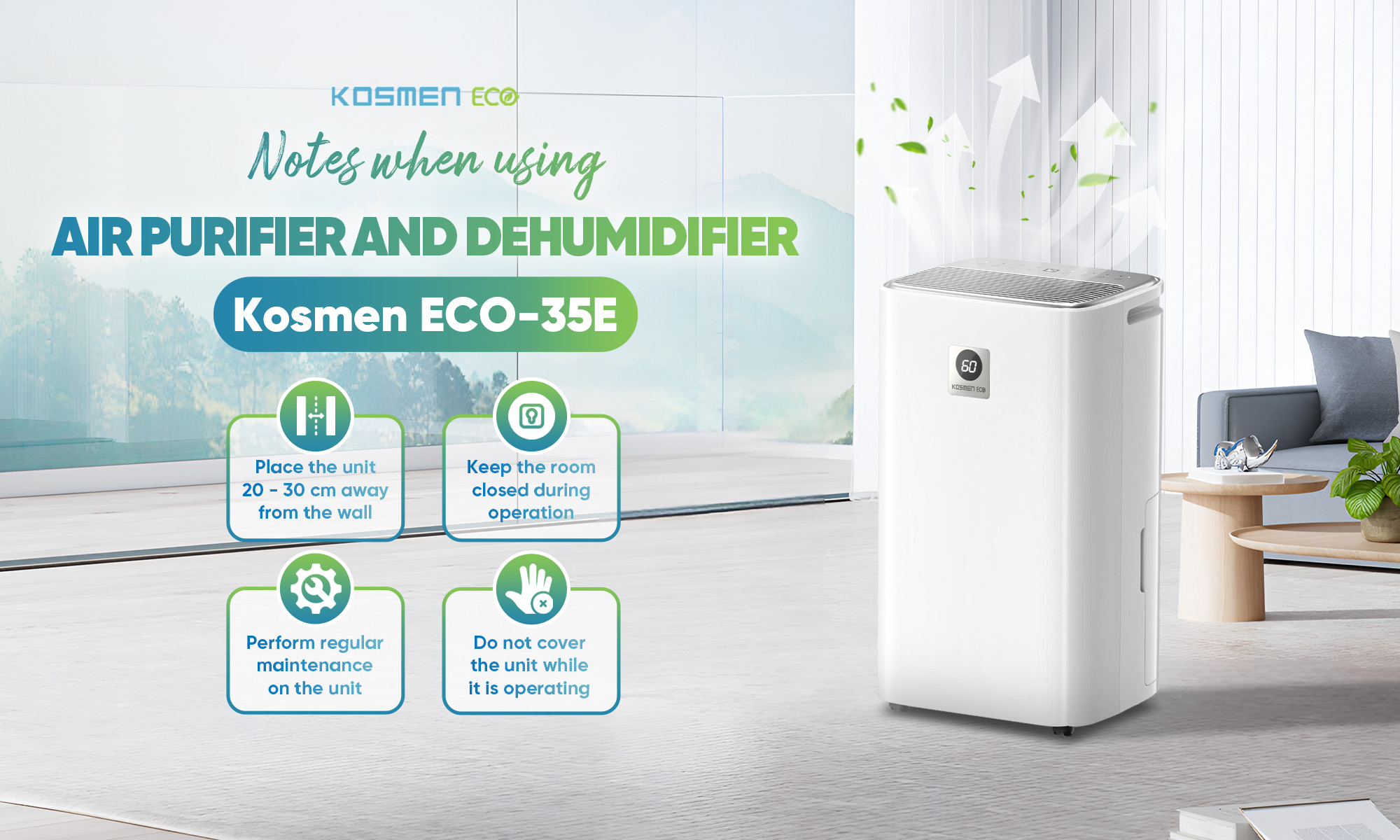
Some Notes When Using the Kosmen ECO-35E Dehumidifier and Air Purifier
Product Error Code Table
Error Code | Issue | Solution |
E1 | Temperature sensor failure | Replace with a new temperature sensor |
E2 | Humidity sensor failure | Replace with a new humidity sensor |
HI | Current ambient humidity is high (>95%) | Close doors and windows, then continue using the device |
LO | Current ambient humidity is low (<30%) | The current environment does not require a dehumidifier |
Troubleshooting
Please do not worry if you encounter the following issues while using the dehumidifier. If the device is damaged or malfunctions, please contact us for timely support.
Problem | Phenomenon / Cause | Solution |
Dehumidifier does not operate | - Power outage.
- Power switch is not turned on.
- Fuse may be blown.
- The preset start time has not been reached.
- Water tank is full or not properly installed; the water-full indicator flashes.
| - Wait until power is restored.
- Turn on the power switch.
- Replace the fuse.
- Wait or cancel the timer setting.
- Empty the water tank and reinstall it.
|
Poor dehumidification performance | - Humidity setting is not appropriate.
- Front or rear air vents are blocked.
- Dehumidification time may be insufficient.
- Doors or windows are open.
- Room temperature is below 5°C or above 38°C.
| - Set an appropriate humidity level.
- Remove obstructions.
- Allow more time.
- Close doors and windows.
- Operate the machine at 5–38°C..
|
The machine does not dehumidify immediately after being turned on | Compressor protection delay. | The machine will operate after 3 minutes. |
Water leakage | - Drain hose is loose.
- Drainage system is blocked.
- Water tank is not properly installed.
| - Check the drain hose.
- Clean the drainage system.
- Reinstall the water tank.
|
Condensation droplets | Condensation appears on the surface of the dehumidifier. | This is normal; the machine can defrost automatically. |
Slight shaking of the machine | Slight vibration occurs when the machine is turned on/off. | This is normal. |
Product Technical Specifications
Model | ECO-35Е |
Coverage Area | 70 - 105 m² |
Dehumidification Capacity | 35L/D (ở điều kiện 30°C,80%RH) |
Power Consumption | 426W (With HEPA) |
Airflow | 155 m³/h (With HEPA) |
Refrigerant | R410A |
Compressor | GMCC |
Power Supply | 220V/50Hz |
Operating Temperature | 5 - 38°C |
Water Tank Capacity | 5L |
Product Dimensions | 370*270* 630 mm |
Net Weight | 15.5 KGS |
KOSMEN BRAND – A TRUSTED EXPERT IN DEHUMIDIFICATION & AIR PURIFICATION IN VIETNAM
- Head Office: 77 Dinh Thi Thi Street, Van Phuc City Residential Area, Hiep Binh Ward, Ho Chi Minh City, Vietnam
- Representative Office: 27B Street No.12, Hiep Binh Ward, Ho Chi Minh City, Vietnam
- Hanoi Office: NV 4.7, Cau Buu New Urban Area, Thanh Liet Ward, Hanoi, Vietnam
- Da Nang Office: 41 Vo An Ninh Street, Hoa Xuan Ward, Da Nang City, Vietnam
- Da Lat Office: 38/7 Ba Thang Hai Alley, Xuan Huong – Da Lat Ward, Lam Dong Province, Vietnam
- Hotline: 0766 899 799 (Northern Vietnam) - 0935 696 695 (Central Vietnam) - 0965 210 874 (Southern Vietnam) - 0975 359 877 (Central Highlands)
- Website: https://kosmen.com.vn/en



 Kosmen Đà Nẵng
 Published:
19/03/2026, 14:30
- Updated at 23/06/2026, 09:14
Published:
19/03/2026, 14:30
- Updated at 23/06/2026, 09:14